
Category Archives for "DocRead"

RN29: DocRead and DocSurvey for SharePoint V4.0 (4.0.21142.7).

DocRead & DocSurvey V4.0Note: The information in this post relates to DocRead for on-premises SharePoint only. 21st of May 2021  – Build 4.0.21142.7 New Functionality and what has changed in this version of DocReadDocRead document context menu options (Reading Requirements and DocRead Settings) now fully working in SharePoint 2019DocRead document context menu options now available in the […]

Read more

RN30: DocRead and DocSurvey for SharePoint V5.0 (5.0.21281.2).

DocRead & DocSurvey V5.0Note: The information in this post relates to DocRead for on-premises SharePoint only. 2nd December 2021  – Build 5.0.21281.2Improvements and bug fixesFixed issues with the web-parts loading overlay in Classic Mode.Fixed issues with dynamically loading data in the task panel.  Performance improvements in loading data from web-services.Modern Experience Pack for SharePoint 2019New DocRead task list […]

Read more
DocRead vs PowerDMS

DocRead vs PowerDMS: Policy & Training Tools Comparison

DocRead vs PowerDMS: Policy & Training Tools Comparison Many organizations already pay for Microsoft 365 and use SharePoint for document management. DocRead (plus DocSurvey) builds on SharePoint to deliver policies, track acknowledgements, and add quizzes—without adding a new platform.PowerDMS is a standalone suite that requires separate licenses, employee training, and ongoing admin support. Total cost […]

Read more

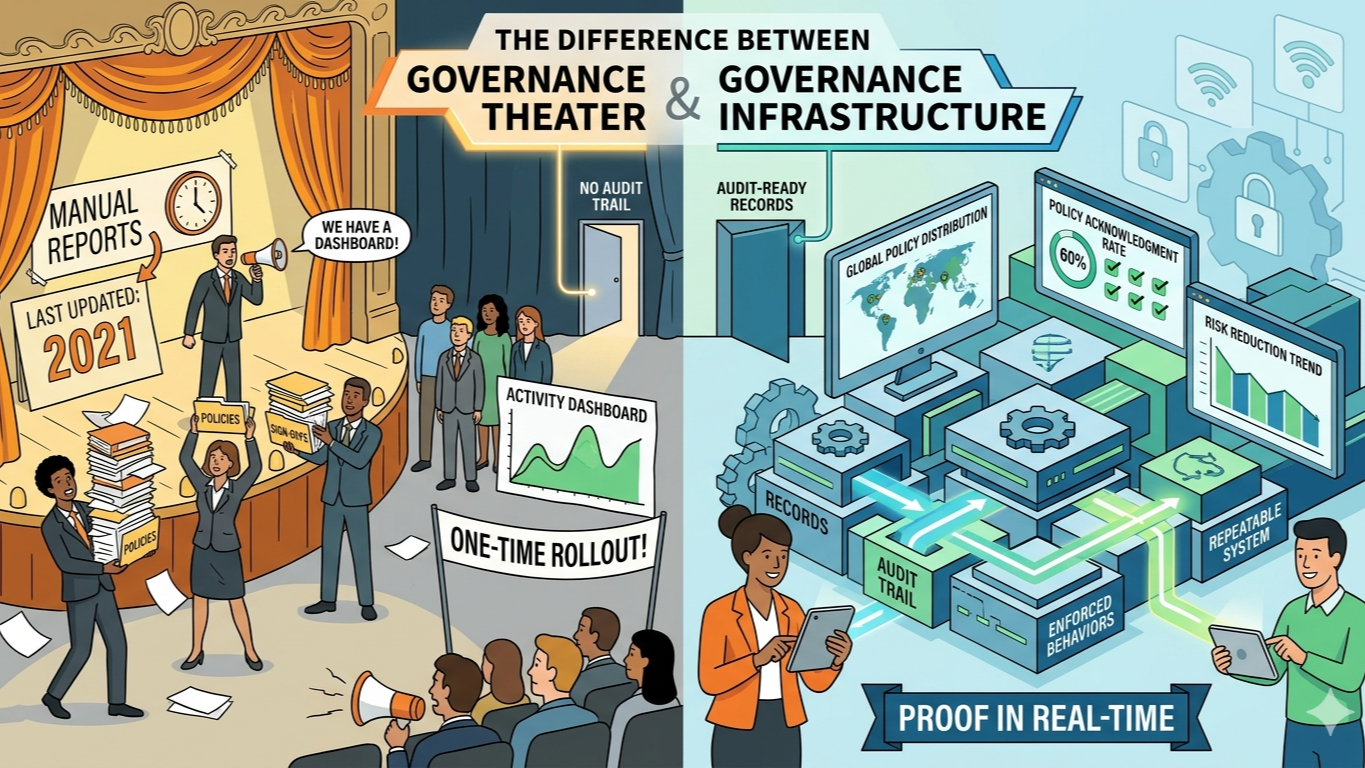
The Difference Between Governance Infrastructure and Governance Theater

The Difference Between Governance Infrastructure and Governance Theater Most organizations don’t lack governance. They lack effective governance.On paper, everything looks solid. Policies are written. Committees exist. Tools are deployed. Dashboards are green. In practice, much of this is governance theater—activity that looks responsible but doesn’t actually control risk. The difference between governance infrastructure and governance […]

Read more
SOP Implementation in SharePoint: 10 Steps That Actually Stick

Regulatory Compliance – Information Management Policies

Regulatory Compliance – Information Management Policies Information Management Policies in SharePoint in my experience, are not used that heavily, but are an extremely easy way to apply policies to your documents. They are accessible from ‘Library Settings’ and are configurable per content type. For example, this means that all ‘documents’ in the library will have the policy applied. […]

Read more
1 … 5 6 7 8 9 … 12