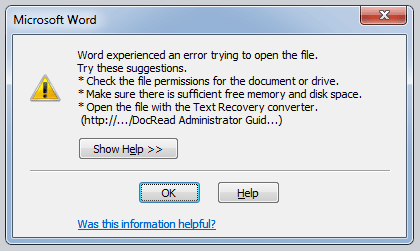
Word experienced an error when trying to open the file – from Office 365 or SharePoint
If you receive the ‘Word experienced an error when trying to open the file’ (as below), it’s highly likely you are running Office 2010 in protected mode.
 How to solve this issue?
There 2 ways that I know of detailing how to solve it.
- Add the Office 365 or SharePoint site as a ‘Trusted Site’ in Internet Explorer
- Amend your Office 2010 settings in the ‘Trust Center’
Add the Office 365 or SharePoint site as a ‘Trusted Site’ in Internet Explorer (recommended).
- Launch Internet Explorer (IE).
- Select ‘Tools’ from the menu. (Press ‘Alt’ to get the options to show).
- Choose ‘Internet Options’.
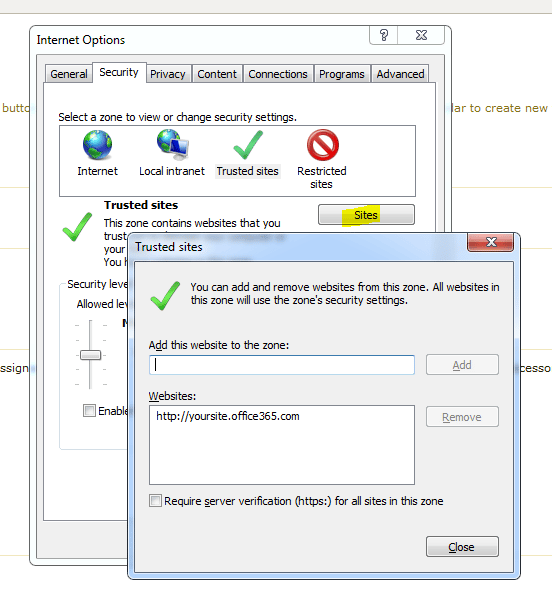
- Choose ‘ Security’ tab.
- Click ‘Sites’.
- Click the ‘Trusted Sites’ green tick.
- Type your domain into the text box and click ‘Add’. (You domain will be something like : http://yourorg.sharepoint.com’.
- Click ‘Ok’.
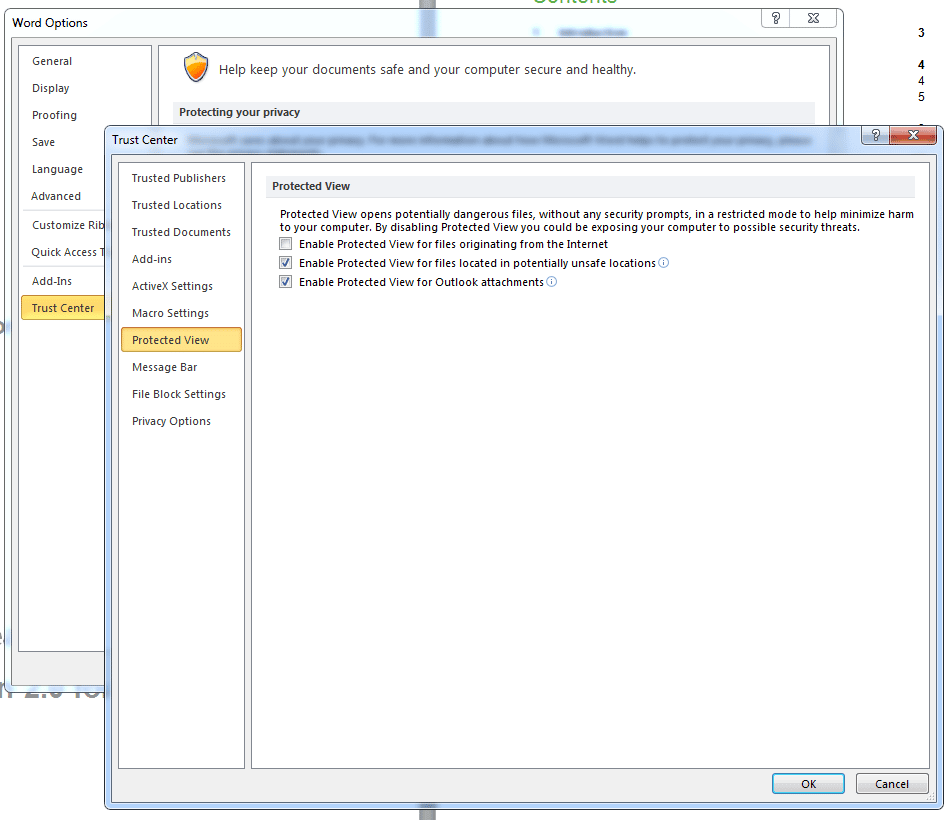
 Amend your Office 2010 settings in the ‘Trust Center’
Please Note : If you do it this way – then ‘any’ file that you download from ‘anywhere’ could harm your computer. If you can, use the previous method.
- Launch Microsoft Word (or Excel, Powerpoint, etc).
- Click the ‘File’ menu
- Choose ‘Options’
- Choose ‘Trust Center’
- Choose ‘Trust Center Settings’
- Choose ‘Protected View’
- Unselect the ‘Enable Protected View for files originating from the Internet’