How to Add Users to a SharePoint Group
This blog post explains how to add users to a SharePoint group! Treat it as a quick-reference guide. You can find step-by-step instructions for both SharePoint online and on-premises versions of SharePoint below.
SharePoint Online
1. First, log in as an administrator and navigate to the site where the group is to be used.
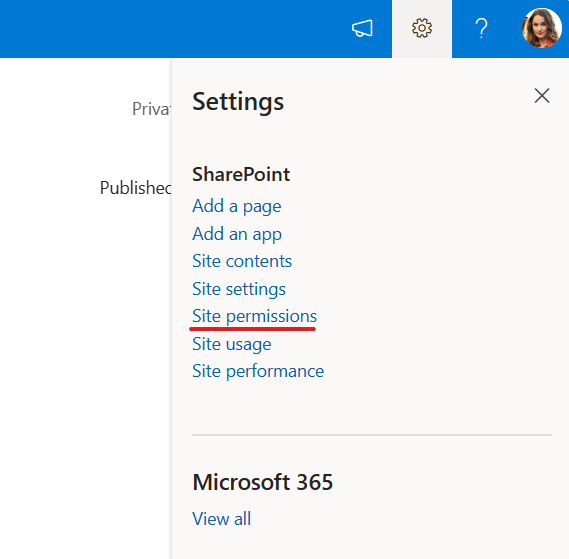
2. On the site’s home page select the "Cog" then ‘Site permissions’.
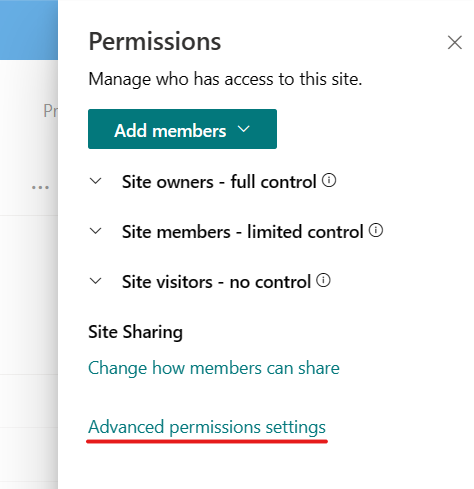
3. Next, select "Advanced permission settings".
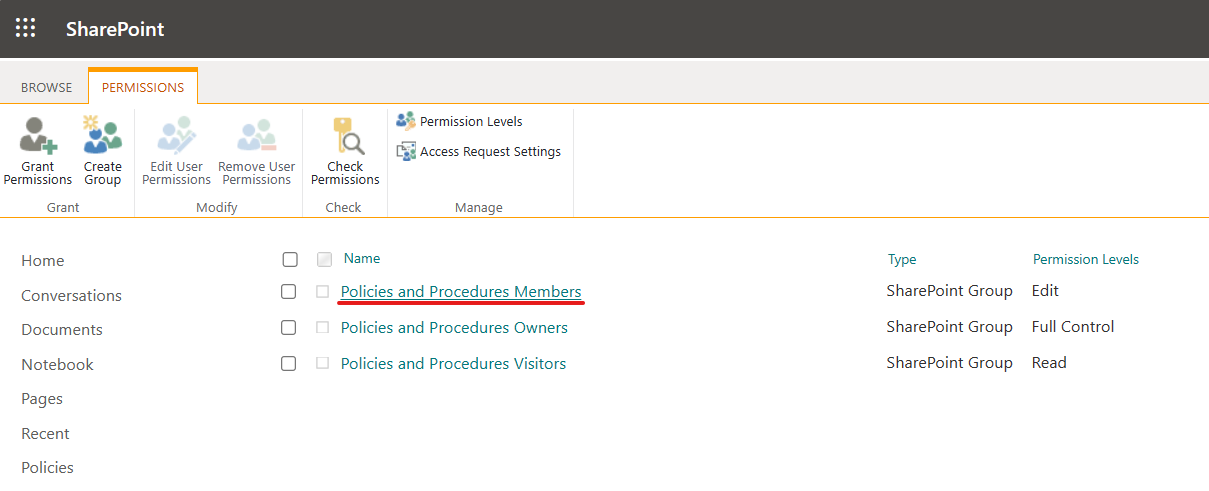
4. On the SharePoint permissions page, click on the group you want to add someone to.
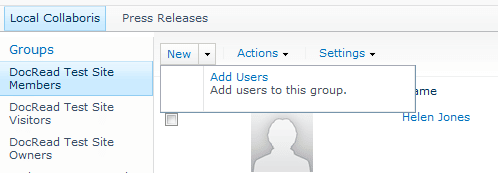
5. Once the desired group has been chosen, click ‘New’ and then "Add Users" to select the users to be added to the group.
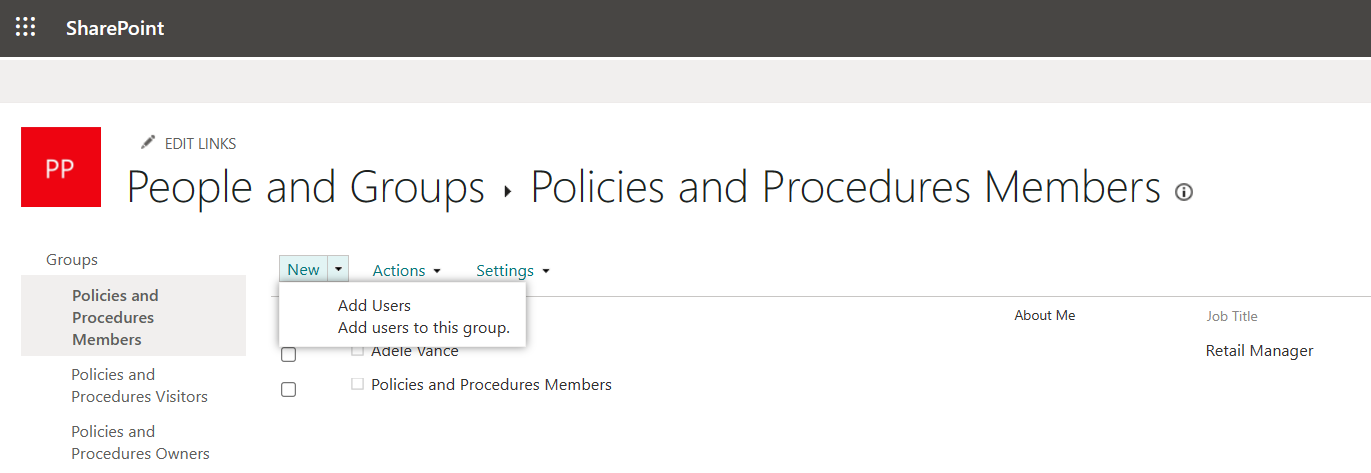
6. Finally, add the names of the people you want to include in the group, and click "Share". You can type partial names into the box and let the people picker provide more details.
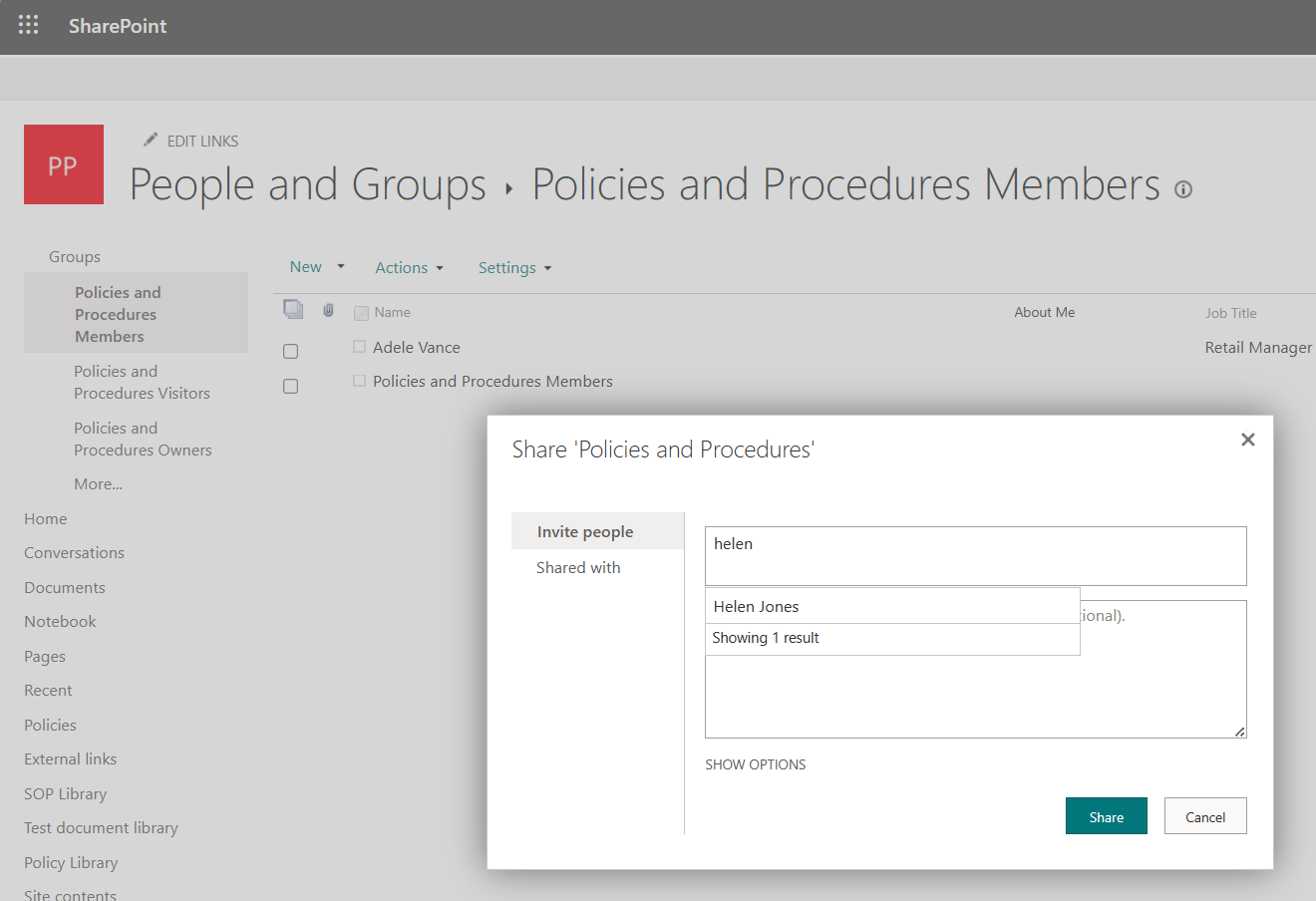
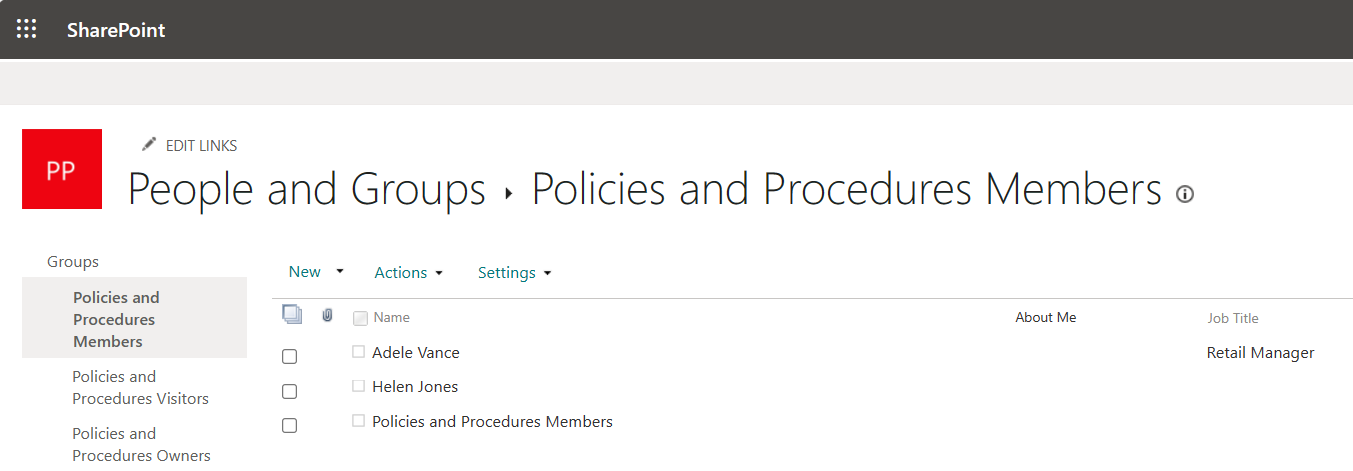
7. Your chosen people will be added to the members list.
I hope you have followed these instructions successfully and have added users to a SharePoint group.
Need to target documents to users in your groups?
Discover how DocRead can automate the distribution of internal communications to SharePoint groups. Select the relevant user group and then relax as DocRead assigns tasks and monitors who has/has not read it.
DocRead has enabled us to see a massive efficiency improvement... we are now saving 2 to 3 weeks per policy on administration alone.
Nick Ferguson
Peregrine Pharmaceuticals
Feedback for the on-premises version of DocRead.
SharePoint On-premises
If you are using an older on-premises version of SharePoint, these instructions will show how to add a user to a SharePoint group:
1. Log in as an administrator and navigate to the site where the group is to be used.
2. On the site’s home page select ‘Site Actions’, then ‘Site Settings’.
3. On the Site Settings page, within the ‘Users and Permissions’ section menu select ‘People and Groups’.
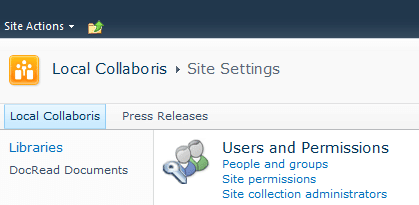
4. On the ‘People and Groups’ page either:
- Click the name of the group to edit in right hand column or
- Click the ‘Groups’ header to present all groups and click the ‘Edit’ link next to the desired group name.
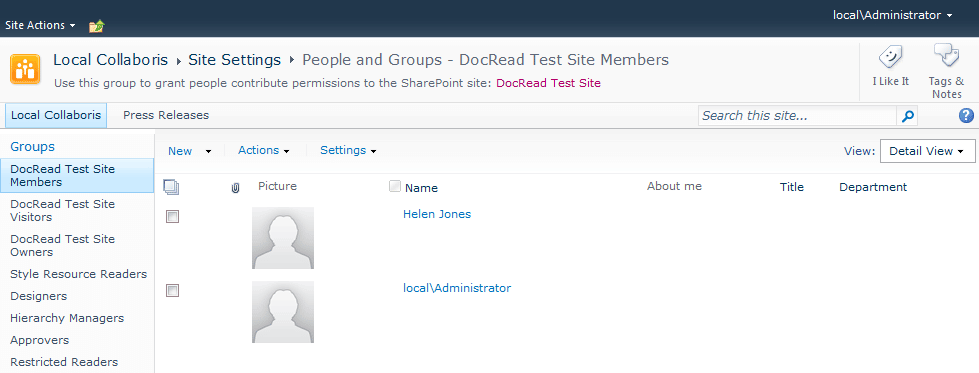
5. Once the desired group has been chosen, you need to click ‘New’ and then “Add Users” to select the people you want to add to the group.