
ISO 27001, COBIT & ITIL Compliance with SharePoint
IT governance frameworks such as ISO 27001, COBIT, and ITIL provide structured approaches for managing risk, securing information, and aligning IT services with broader business objectives. These standards help organizations implement best practices, improve operational consistency, and create clear accountability across teams. In today’s environment—where regulatory pressure, cybersecurity threats, and audit requirements continue to increase—compliance is essential for protecting data, maintaining trust, and reducing operational risk.
Microsoft SharePoint plays an important role in supporting governance initiatives by centralizing policies, procedures, and workflows within a controlled digital environment. However, while SharePoint offers a solid foundation, it does not natively provide advanced acknowledgment tracking or compliance enforcement capabilities. DocRead enhances the SharePoint experience by enabling targeted policy distribution, mandatory digital sign-offs, and detailed reporting—helping organizations transform governance frameworks into practical, measurable, and audit-ready processes.
Principles, Guidelines & Tools
All three frameworks offer a mix of guidance, advice, and practical tools. Each has its own focus, though they can be used in conjunction. The latest version of COBIT now integrates with the ITIL standard, for example.
ITIL
ITIL focuses on aligning IT services with business goals and objectives. Developed by the UK government in the 1980s to standardize IT practices, it is now widely adopted by organizations of all sizes worldwide.
ISO 27001
ISO 27001 is focused on information security standards, and was last updated in 2013. It describes a number of best practice guidelines for ensuring electronic data is maintained in a safe and secure manner.
COBIT
COBIT is a governance framework aimed at regulatory compliance and risk management. Now in its fifth edition, it covers areas like audit and assurance and governance of enterprise IT systems.
DocRead Extends the SharePoint Experience
As is often the case with SharePoint systems, the ‘out of the box’ experience does not provide the complete solution. Often additional tools or functionality are required. This is especially true when it comes to implementing and adhering to governance frameworks like those looked at above. SharePoint requires a tool like DocRead to extend and enhance its feature set.Examples of how how DocRead can help include:
Mandating Policies

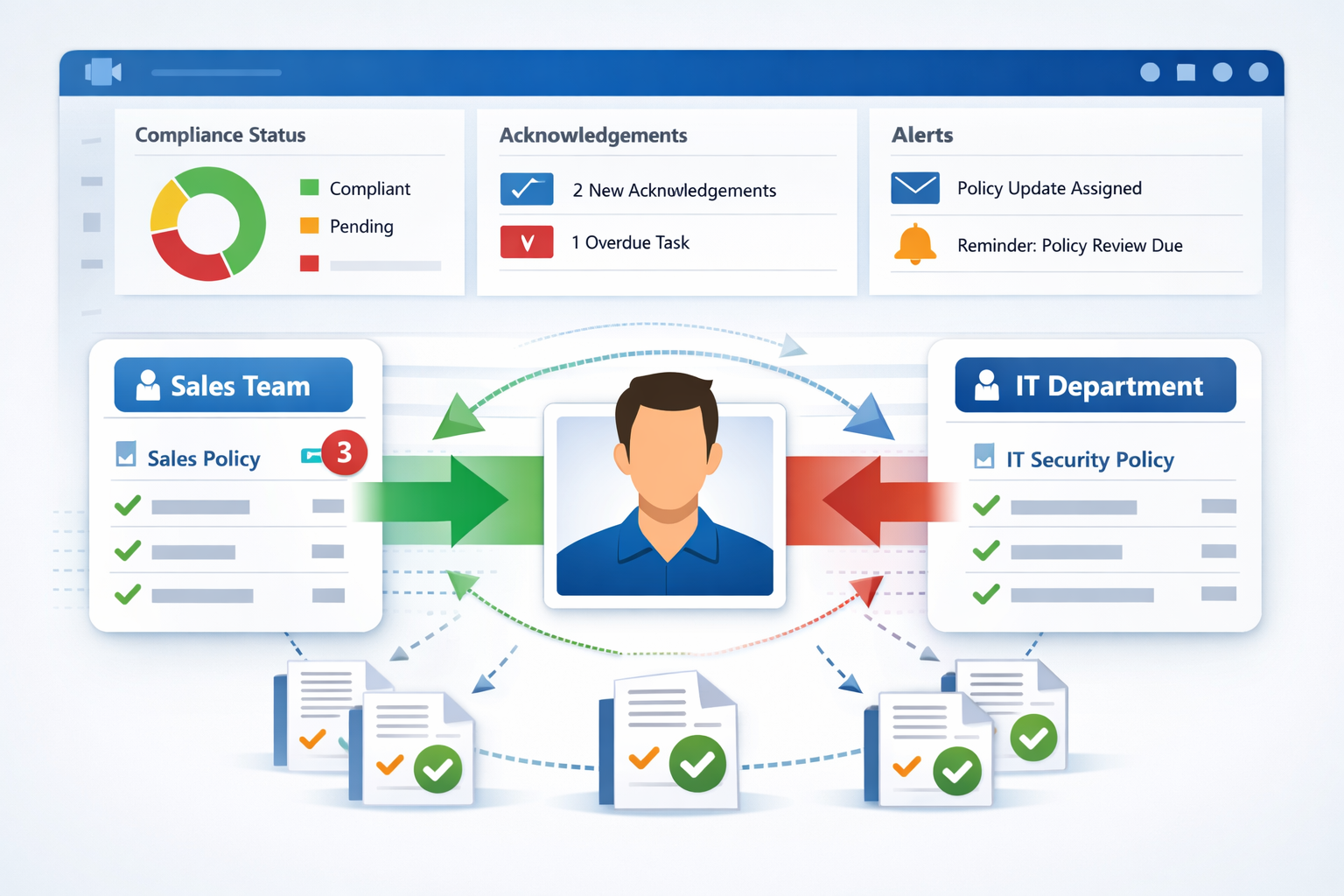
All governance frameworks require policies and procedures to be reviewed and understood by relevant stakeholders. ISO 27001, in particular, requires documented evidence that employees acknowledge defined ways of working. DocRead enables organizations to distribute documents to targeted audiences and capture formal digital sign-off, creating verifiable records of review and compliance.
Tracking User Activity

All governance frameworks require organizations to proactively engage employees in compliance activities. DocRead provides comprehensive tracking and reporting on non-compliant users and outstanding acknowledgments. Reports can be filtered, sorted, and exported as needed. For organizations preparing for accreditation or monitoring ongoing adherence, DocRead’s tracking tools simplify oversight and strengthen accountability.
Testing Understanding

ITIL, ISO 27001, and COBIT continuously evolve, requiring organizations to stay proactive to maintain alignment and accreditation. DocSurvey builds on DocRead by assessing user understanding of approved policies and procedures. While DocRead captures digital acknowledgments, DocSurvey strengthens compliance through structured testing, learning validation, and measurable knowledge retention.
Enhancing List Based Features

Microsoft SharePoint enables key elements of ITIL, ISO 27001, and COBIT frameworks to be managed as structured, list-based datasets and workflow tools. DocRead extends beyond document distribution by allowing organizations to target specific SharePoint list items to defined users. Once assigned, users must formally provide digital sign-off, ensuring clear acknowledgment, accountability, and auditable compliance records.
Have You Heard About DocRead Smart Move?
“Smart Move” is an intelligent feature that automatically detects when a user joins or exits a specific group or audience. DocRead leverages this capability to ensure individuals are always assigned the appropriate policies and procedures based on their current role or status.
This makes it especially valuable for onboarding, temporary assignments, new initiatives, external vendors, and similar scenarios. Frequently highlighted as one of DocRead’s most impactful features, Smart Move significantly reduces manual administrative effort while strengthening overall policy management efficiency.
Frequently Asked Questions About SharePoint Governance & Compliance
SharePoint provides a strong foundation for document management, version control, permissions, and workflow automation—all of which are important components of an ISO 27001-aligned information security management system (ISMS). Organizations can store policies, manage access controls, and maintain document histories within structured libraries. However, SharePoint alone does not automatically enforce policy acknowledgment, track mandatory reads, or generate detailed compliance reports required for audit evidence.
To fully align with ISO 27001 requirements—particularly around documented evidence of communication and employee acknowledgment—additional functionality is often required. Enhancements that provide mandatory read receipts, reporting dashboards, and formal digital sign-offs help close these gaps and strengthen audit readiness.
DocRead strengthens audit preparation by creating verifiable records of policy distribution and user acknowledgment. Instead of relying on manual confirmations or email-based approvals, organizations can mandate that specific users read and digitally sign off on assigned documents. Each action is recorded, time-stamped, and traceable.
For compliance teams, this creates a defensible audit trail. Reports can be filtered to show outstanding acknowledgments, completed confirmations, or historical activity. This level of structured reporting reduces the administrative burden during certification reviews and provides auditors with clear, documented proof of compliance processes.
Yes. DocRead is designed to integrate seamlessly within Microsoft 365 and SharePoint environments. It operates directly within the SharePoint interface, extending native capabilities without requiring users to adopt an entirely new platform.
This integration ensures organizations can maintain their existing document libraries, permissions structures, and workflows while enhancing governance controls. By working within the Microsoft ecosystem, DocRead supports scalability, enterprise-grade security, and consistent user experience across cloud-based deployments.
Smart Move automates policy assignment based on user group membership. When individuals join, leave, or change roles within defined SharePoint groups, policies are automatically reassigned to reflect their current responsibilities.
This automation significantly reduces manual administration while improving accuracy. It is particularly valuable for onboarding, departmental changes, temporary projects, or third-party access scenarios. By ensuring users always receive the correct policies for their role, Smart Move strengthens governance oversight and minimizes compliance gaps.
See how DocRead can help
Find out how DocRead allows organizations to distribute policies, procedures, and important documents to employees and track acknowledgments, ensuring compliance and accountability. All without leaving SharePoint.
DocRead has enabled us to see a massive efficiency improvement... we are now saving 2 to 3 weeks per policy on administration alone.
Nick Ferguson
Peregrine Pharmaceuticals
Feedback for the on-premises version of DocRead.