
Health and Safety Training with SharePoint & DocRead
Health and Safety Training is essential for protecting employees, meeting compliance obligations, and reducing organizational risk — but managing it effectively can quickly become overwhelming. Policies must be written, reviewed, approved, distributed, and acknowledged, often resulting in manual processes, scattered emails, and time-consuming follow-ups. Ensuring every employee reads and understands required documentation adds another layer of administrative burden.
By leveraging SharePoint as a centralized platform and enhancing it with DocRead, organizations can automate policy distribution, track acknowledgments in real time, and reduce compliance gaps. This streamlined approach transforms Health and Safety Training into a structured, efficient, and auditable process.

Health and Safety Training with SharePoint
Other health and safety software on the market generally requires that you store your policies and procedures in a completely separate document management system – outside of SharePoint. We argue that if you have SharePoint, you do not need to duplicate content and maintain two entirely different systems? Microsoft SharePoint is the ideal choice to assist with your health and safety training compliance for 3 major reasons:
Create And Manage Your Health And Safety Policies
Before a policy can be circulated it first needs to be researched, written and sent for approval. SharePoint offers several features such as sub-sites, lists of links, meeting workspaces and document libraries that are built into an infrastructure designed to support structured policy management software and allow you to control who can and can’t edit documents.
Review And Manage Your Health And Safety Policies
Once your policy is ready to be reviewed and approved you can use the SharePoint Workflow to assign the policy to the relevant people who must review and approve it. You can configure the workflow so that it automatically creates designated staff a new task to complete along with a notification email, supporting your wider policy management system.
Make And Manage Your Health And Safety Policies
Although SharePoint offers advanced document management capabilities on the market, it does come with the complexity that requires internet access. SharePoint provides features such as search, metadata, tagging, content queries and filtered views to make this a very simple process, helping you manage policies efficiently without heavy IT involvement.
Health and Safety Training with SharePoint
SharePoint is an extremely powerful tool that’s used in the majority of organizations. However, one area where SharePoint is lacking is the ability to distribute your Health and Safety policies to staff and ask that they read and confirm them. In addition, some of your most important policies could benefit from having a quiz or e-learning module associated with them.
For example, including a quiz can give you the confidence and peace of mind that staff truly understand them. DocRead for SharePoint is now used all over the world to help with this all too common business process and here are some of its featured highlights:
Distribute H&S Policies

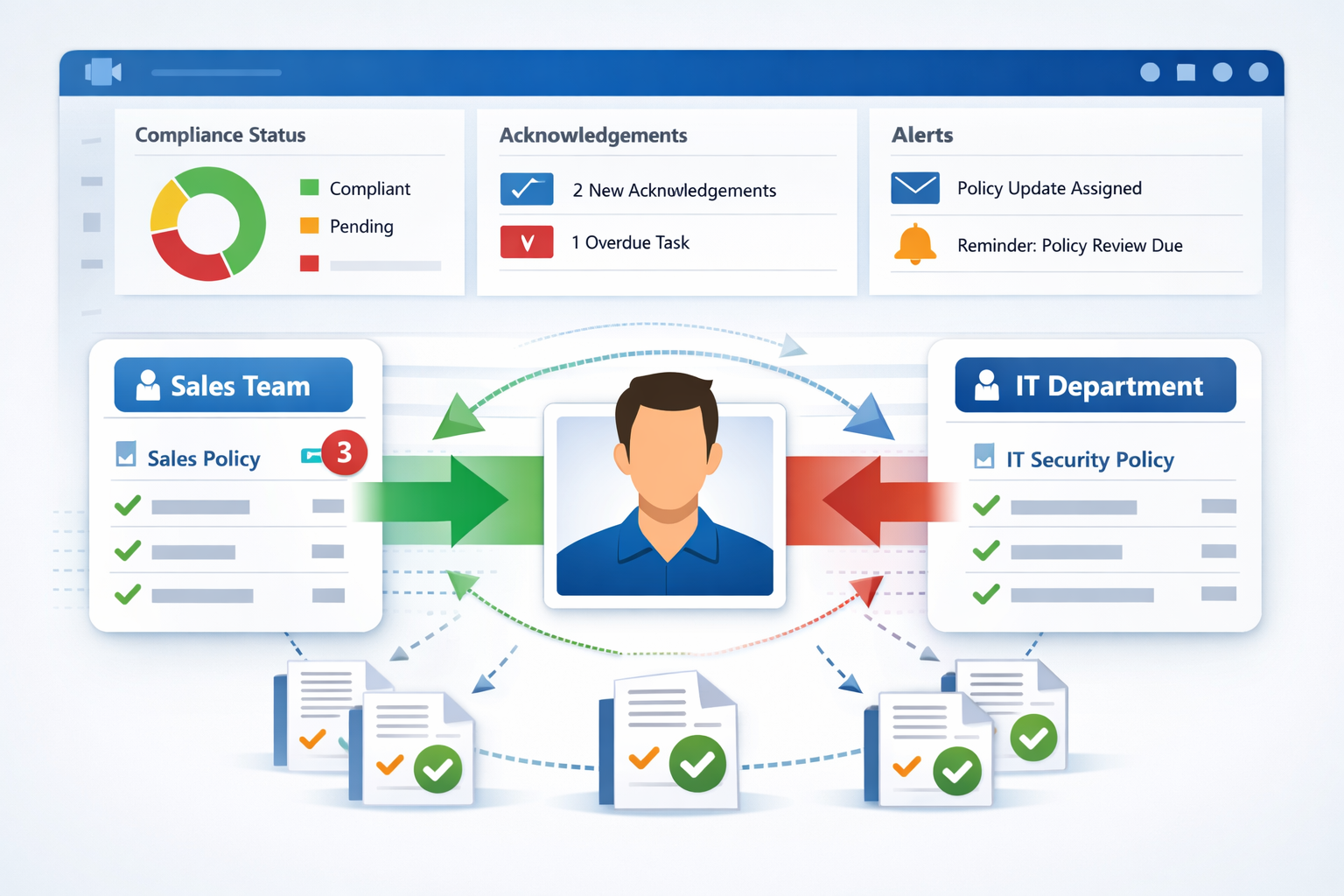
DocRead allows any H&S policy to be distributed to a specific audience of users, and will then request that they read and digitally acknowledge the contents by a specific date. DocRead makes it possible for this functionality to be applied to any SharePoint list item, such as an Announcement.
Track Training Progress

DocRead offers a full set of features for tracking and reporting on non-compliant activity and users. Reports can be exported, filtered and sorted as required. Teams will find the ‘Overdue’ reports very useful for understanding the status of a particular training requirement.
Train Procedures Through Video

Not only can you distribute document and Web Pages, but it's also a breeze to share training videos with employees and ask that they watch it by a deadline. For example, videos can be embedded into web pages along with other content.
Display H&S Policies In A List

DocRead ships with several Web Parts and Charts that help users visualize exactly what is required reading within a site or across the entire SharePoint Farm. Most importantly, the Web Parts can be conveniently placed wherever they will have most impact.
Test Employee Awareness

DocSurvey (available for SharePoint 2019) is a sophisticated tool which allows quizzes and e-learning based questions to be attached to documents stored in SharePoint. It can be used in conjunction with DocRead to enhance the training process. Not only is a user able to confirm they have read a particular policy, but the H&S team can test their understanding with a simple quiz.
Email Reminders

DocRead users emails to alert users to new tasks and required reading. Automated emails can be sent when tasks are ‘Assigned’, ‘Confirmed’ and ‘Overdue’. Emails can be customized to suit corporate branding and custom messaging can easily be added to the body. In addition, Managers can also be sent a copy of the reminders that their staff receive.
Have You Heard About DocRead Smart Move?
“Smart Move” is the technology within DocRead that detects when a user joins or leaves a group or audience. DocRead uses Smart Move to ensure that your users only ever receive the correct policies and procedures.
As a result, it is ideal for onboarding, secondments, new project work, external contractors and many other uses. When we ask for feedback, Smart Move is often voted as DocRead’s most powerful feature. Read how Smart Move can save you hours of manual administration.
Frequently Asked Questions About Health and Safety Training Software
Health and safety training software is a digital solution designed to manage the creation, distribution, tracking, and reporting of mandatory safety policies and procedures. It helps organizations ensure employees read required documents, complete training modules, and confirm understanding. By automating reminders and tracking compliance, it reduces administrative effort while improving audit readiness and overall workplace safety standards.
Yes, SharePoint can support health and safety compliance by storing policies in document libraries, controlling permissions, and using workflows for review and approval processes. It enables version control, structured document management, and search functionality. However, while SharePoint manages content effectively, additional tools are often required to distribute mandatory reading and track employee acknowledgment in a fully automated way.
DocRead tracks employee acknowledgment by assigning policies or documents to specific users or groups and requiring digital confirmation by a set deadline. Real-time dashboards display who has read, confirmed, or missed required training. Reports can be filtered, exported, and reviewed by managers, helping compliance teams quickly identify non-compliance and take corrective action.
Yes, quizzes can be attached to policies using integrated tools such as DocSurvey. This allows organizations to test employee understanding after reading important health and safety documentation. By combining mandatory acknowledgment with knowledge checks, companies gain stronger assurance that policies are not only read but properly understood, reducing risk and strengthening compliance outcomes.
Absolutely. Health and safety training software is ideal for onboarding new employees, managing temporary staff, and supporting external contractors. Automated group-based assignments ensure individuals receive the correct policies when they join a role or project. This reduces manual administration while ensuring everyone, regardless of employment status, meets mandatory safety and compliance requirements.
See how DocRead can help
Find out how DocRead allows organizations to distribute policies, procedures, and important documents to employees and track acknowledgments, ensuring compliance and accountability. All without leaving SharePoint.
DocRead has enabled us to see a massive efficiency improvement... we are now saving 2 to 3 weeks per policy on administration alone.
Nick Ferguson
Peregrine Pharmaceuticals
Feedback for the on-premises version of DocRead.